Boilsoft Audio Recorder for Mac Tutorial
Record from Audio Devices Tutorial
How to record sound from audio devices by Aduio Recorder for Mac? Here is a Step by Step Tutorial, which can be divided into two parts:
Step 1 Getting started and Selecting Devices
After installation, just run the the software, and the main interface will be displayed as below
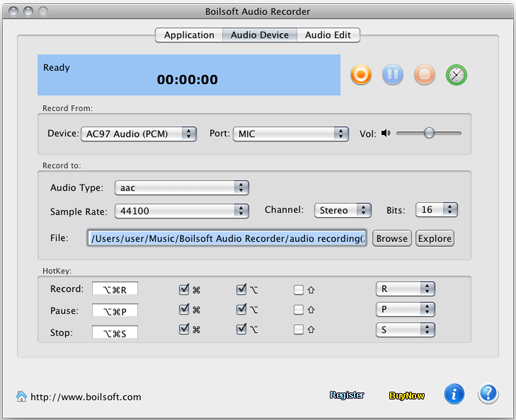
Tip: You can select the device that will be used for sound recording and configure your input devices for the Boilsoft Audio Record.
The following ports might be available depending on your input device Configuration:
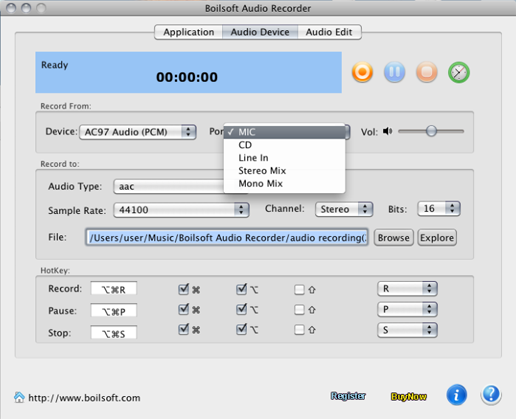
Step 2 Recording and Storing Files
2-1. With the recording parameters you've set previously and then press Recording button
 to start audio recording. To pause or stop recording use the Pause
 or Stop
 buttons accordingly.
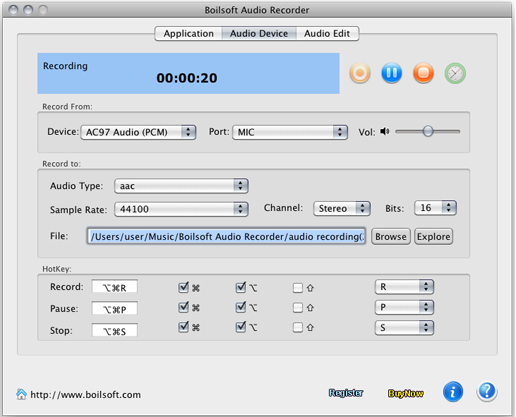
2-2. When the recording is done, Boilsoft Audio Recorder will automatically save recording files in default folder. Then you have got good quality recordings.
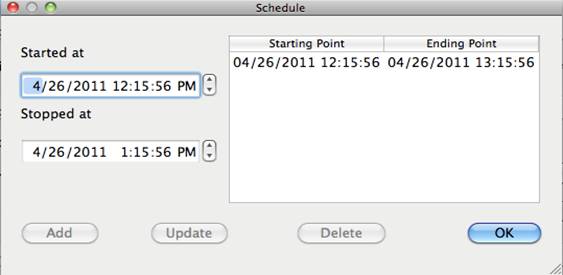
Schedule Support Function
Additionally, with the schedule support function, you can set a scheduled task, the program will auto start and stop the recording.
Record from devices tutorial
Tutorials
Topics


Copyright © 2023 Boilsoft Systems International Inc. All rights reserved.