DivX Splitter - DivX Cutter
DivX Cutter -- Cut DivX -- DivX Splitter -- Split DivX(Split DivX, Cut DivX without re-encode)
Boilsoft Video Splitter is very powerful DivX Splitter and DivX Cutter, split DivX, cut DivX without re-encode, So It is very fast and without any quality loss.
Boilsoft Video Splitter > Formats > DivX Splitter
What is DivX?
DivX is a brand name of products created by DivX, Inc. (formerly
DivXNetworks, Inc.), including the DivX Codec which has become popular
due to its ability to compress lengthy video segments into small sizes
while maintaining relatively high visual quality. The DivX codec uses
lossy MPEG-4 Part 2 compression, also known as MPEG-4 ASP, where quality
is balanced against file size for utility. It is one of several codecs
commonly associated with "ripping", whereby audio and video multimedia
are transferred to a hard disk and transcoded. Many newer "DivX
Certified" DVD players are able to play DivX encoded movies, although
the Qpel and global motion compensation features are often omitted to
reduce processing requirements. They are also excluded from the base
DivX encoding profiles for compatibility reasons.
Launch Boilsoft Video Splitter
Once installed Boilsoft DivX Splitter/Cutter, Launch Boilsoft Video Splitter.
Open File
Click 'Open' button, Select "DIVX - DivX Video" in its "Files of type" combo box.
Add your DivX file, Boilsoft Video Splitter will preview your DivX file directly.
Select Start time, and End time.
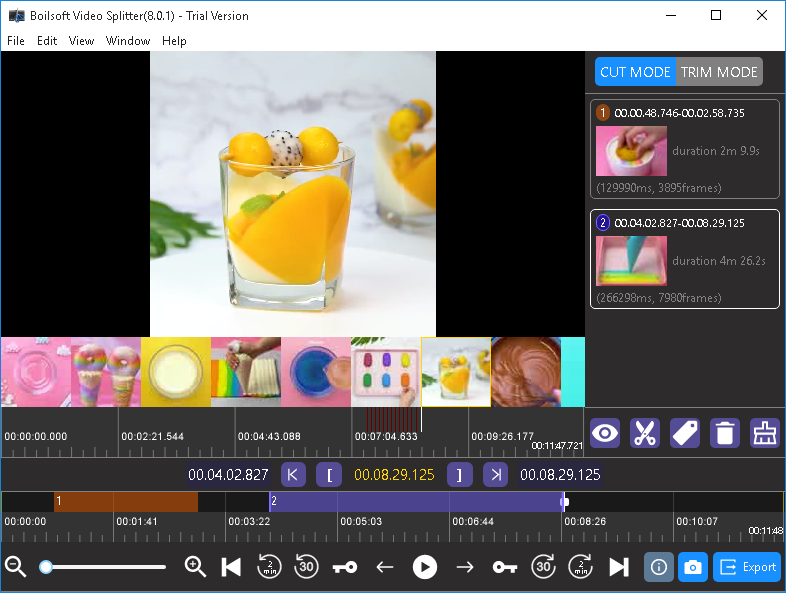
Click 'Split' button to start split your DivX file.
Read More:
Tutorials
Topics


Copyright © 2023 Boilsoft Systems International Inc. All rights reserved.