Boilsoft Video Cutter, cut video, avi cutter, mpeg cutter-- Step by Step
Step by step of Boilsoft all-in-one video cutter,Cut Movie Video, Video Cut
Boilsoft Video Cutter step-by-step tutorial:
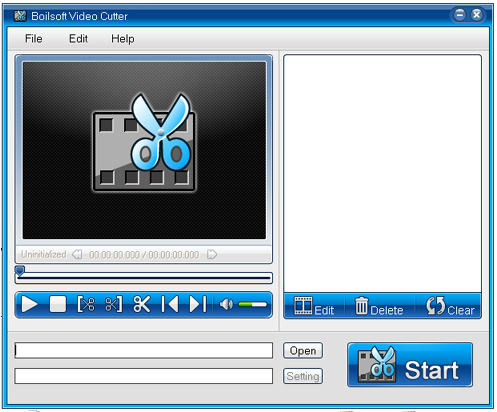
There're three major steps to cut a video with Boilsoft Video Cutter.
Step 1: Add video file
Use Open button to add a video file.
Or you can press Ctrl+O to open a video file.
Step 2 : Set start-point and end-point for video cutting.
Move the slider to select the start-point, and click the Set Start Point button
 to fix the start point of the video clip, (you will see a blue mark on the bar).
And then set the end point by clicking the Set End Point button
 after you adjust the slider (you can see an orange mark on the bar).
Now the video segment you want to cut down is selected.
Step 3 : Cut video selection
Click the Cut Selection button
 and you will find that a new segment is added to the selection list on the right windows of Boilsoft Video Cutter.
Then click the Start button
 to start video cutting process.

