Boilsoft Screen Recorder Tutorial
Step by Step Tutorial
Main Interface
The following picture shows the main interface of Boilsoft Screen Recorder.
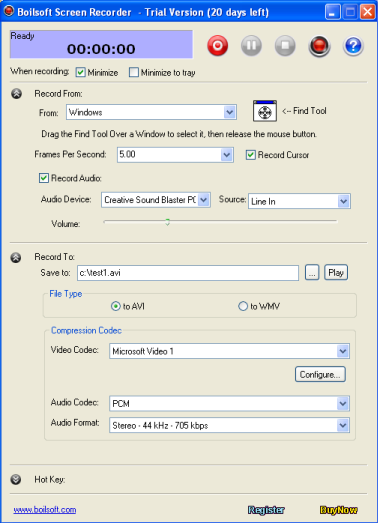
Press
 to record the video and audio
In the process of recording, you can click
 to pause and press
 to stop.
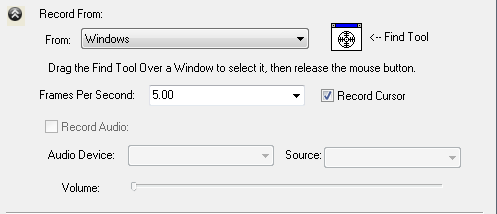
Input Configuration
Choose the video from: full screen, windows and region and fixed region. configure whether record audio and choose the audio source.
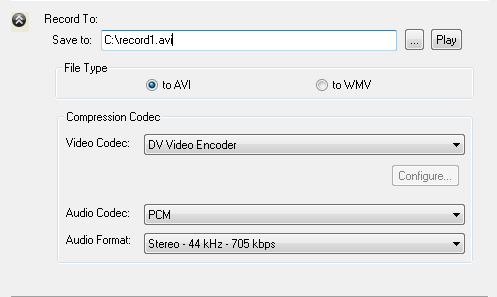
AVI Setting
You can customize the video codec and audio setting.
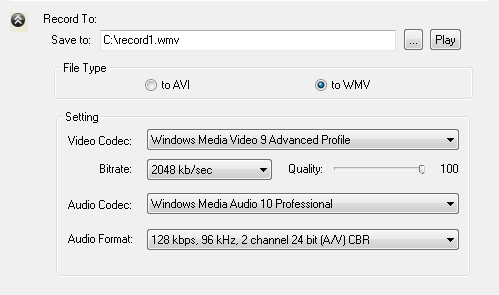
WMV Setting
Record to wmv with your customized profile.
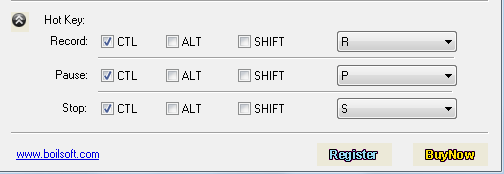
Hot Keys
Hot keys are available and really help you save a lot of valuable time. Use the customizable hot keys to record, pause and stop recording.
Tutorials
Topics


Copyright © 2023 Boilsoft Systems International Inc. All rights reserved.